



 Click it and Unblock the Notifications
How to Allow Notification
1. Click on ‘Settings’ in your chrome menu
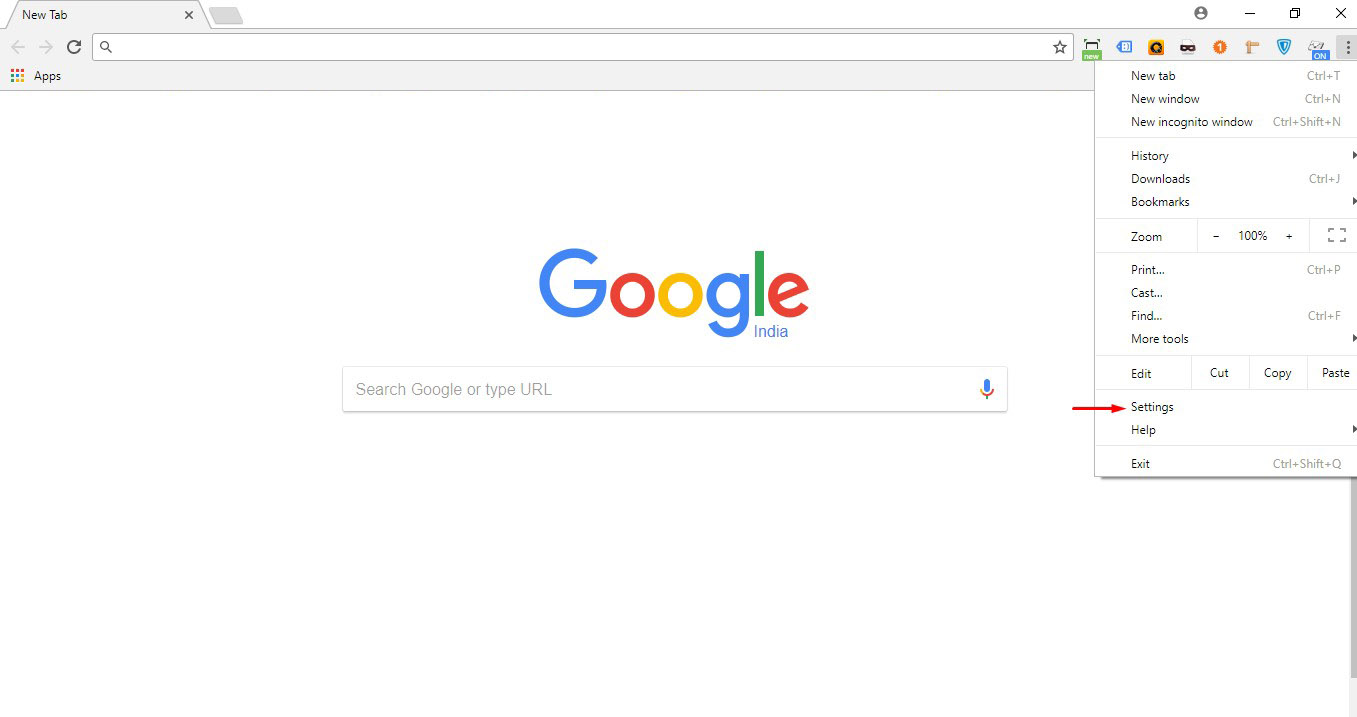
2. Find ‘Advanced’ at the end of the page. Click on it.

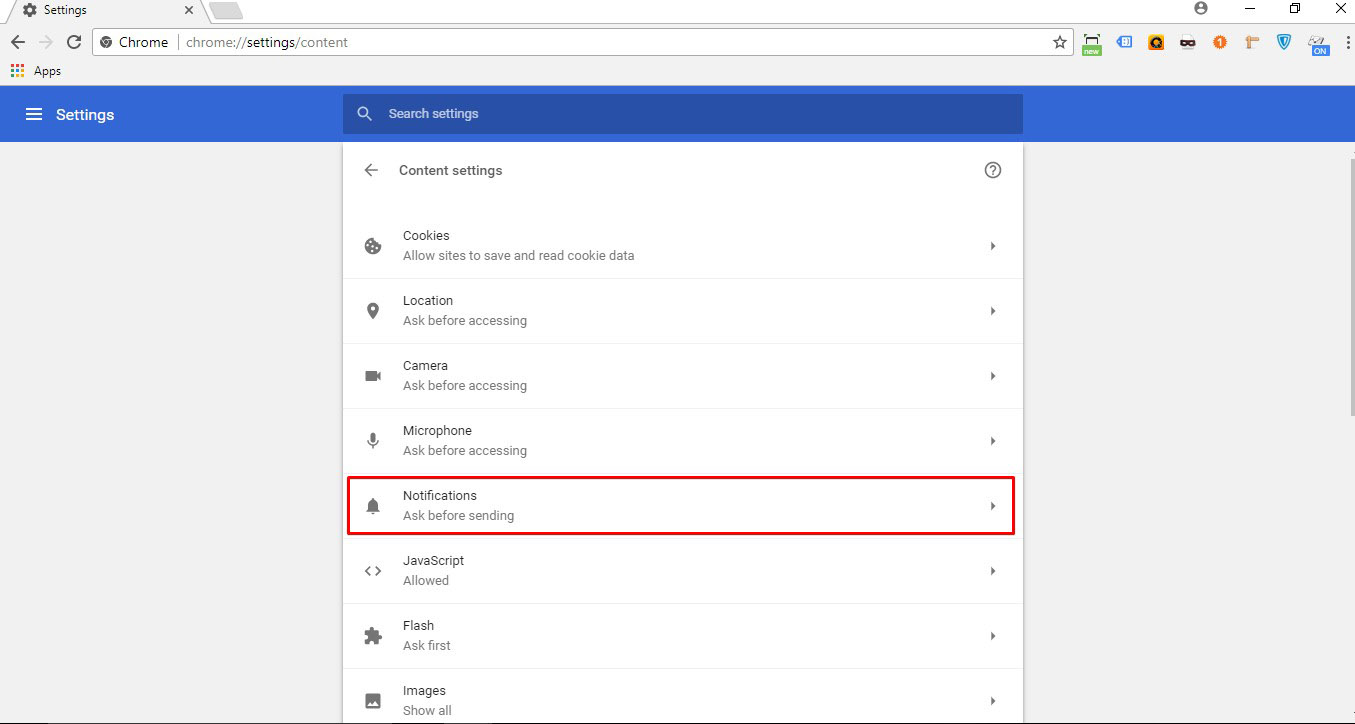
3. Click on ‘Content settings’.

4. Click on ‘Notifications’
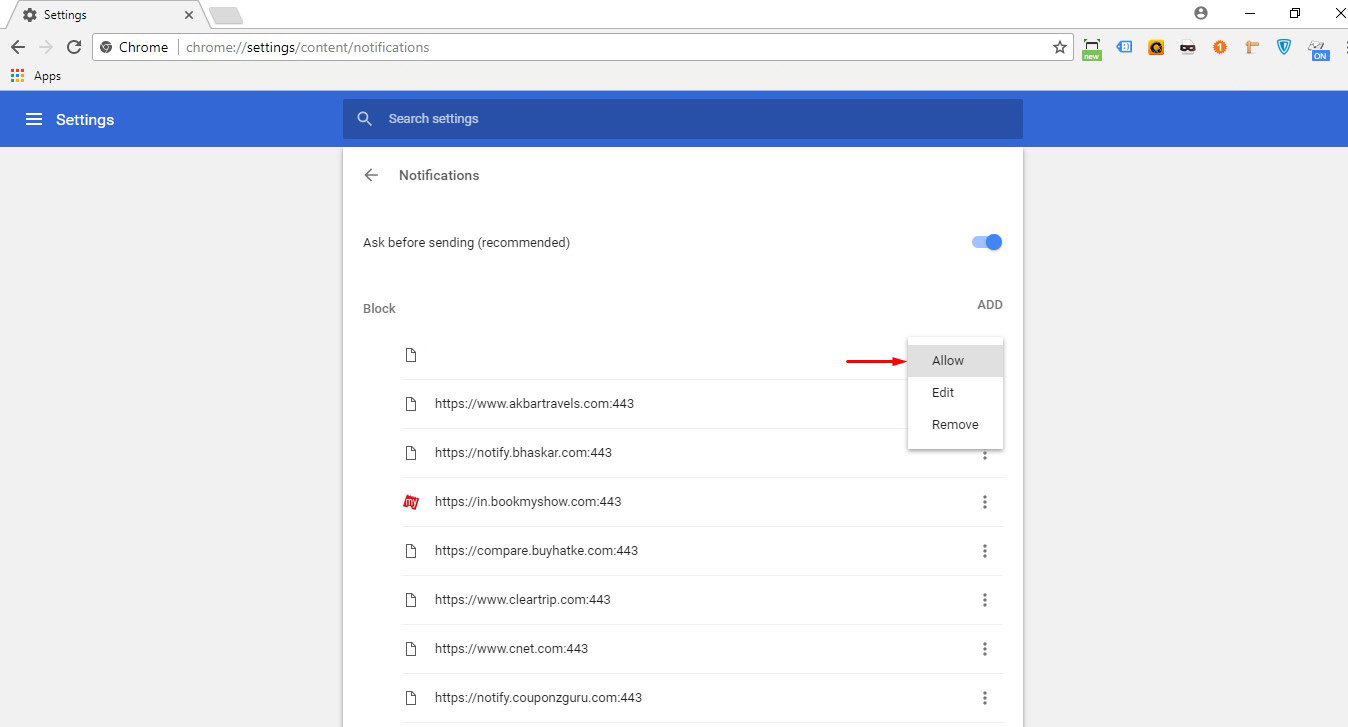
5. Look for channel . Click on ‘Allow’ to unblock alerts.
https://hindi.careerindia.com/
Notifications
Settings
Clear Notifications
Notifications
Use the toggle to switch on notifications
-
Block for 8 hours
-
Block for 12 hours
-
Block for 24 hours
-
Don't block

Log in for Better Reading Experience!
 Continue with Google
 By signing in, you agree to our Terms and Privacy Policy
Gender
Select your Gender
- Male
- Female
- Others
Age
Select your Age Range
- Under 18
- 18 to 25
- 26 to 35
- 36 to 45
- 45 to 55
- 55+

